


Page 394 - Python Data Science Handbook
P. 394
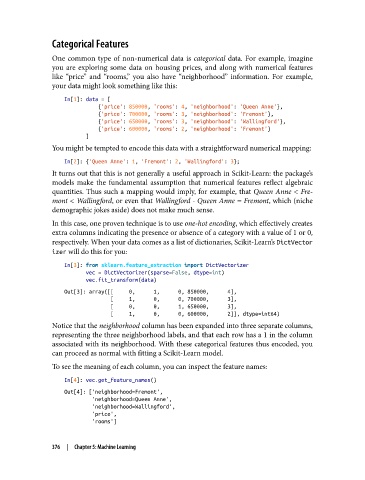
Categorical Features

               One common type of non-numerical data is categorical  data. For example, imagine
               you are exploring some data on housing prices, and along with numerical features
               like “price” and “rooms,” you also have “neighborhood” information. For example,
               your data might look something like this:
                   In[1]: data = [
                              {'price': 850000, 'rooms': 4, 'neighborhood': 'Queen Anne'},
                              {'price': 700000, 'rooms': 3, 'neighborhood': 'Fremont'},
                              {'price': 650000, 'rooms': 3, 'neighborhood': 'Wallingford'},
                              {'price': 600000, 'rooms': 2, 'neighborhood': 'Fremont'}
                          ]
               You might be tempted to encode this data with a straightforward numerical mapping:
                   In[2]: {'Queen Anne': 1, 'Fremont': 2, 'Wallingford': 3};
               It turns out that this is not generally a useful approach in Scikit-Learn: the package’s
               models make the fundamental assumption that numerical features reflect algebraic
               quantities. Thus such a mapping would imply, for example, that Queen Anne < Fre‐
               mont < Wallingford, or even that Wallingford - Queen Anne = Fremont, which (niche
               demographic jokes aside) does not make much sense.

               In this case, one proven technique is to use one-hot encoding, which effectively creates
               extra columns indicating the presence or absence of a category with a value of 1 or 0,
               respectively. When your data comes as a list of dictionaries, Scikit-Learn’s DictVector
               izer will do this for you:

                   In[3]: from sklearn.feature_extraction import DictVectorizer
                          vec = DictVectorizer(sparse=False, dtype=int)
                          vec.fit_transform(data)
                   Out[3]: array([[     0,      1,      0, 850000,      4],
                                  [     1,      0,      0, 700000,      3],
                                  [     0,      0,      1, 650000,      3],
                                  [     1,      0,      0, 600000,      2]], dtype=int64)
               Notice that the neighborhood column has been expanded into three separate columns,
               representing the three neighborhood labels, and that each row has a 1 in the column
               associated with its neighborhood. With these categorical features thus encoded, you
               can proceed as normal with fitting a Scikit-Learn model.
               To see the meaning of each column, you can inspect the feature names:

                   In[4]: vec.get_feature_names()
                   Out[4]: ['neighborhood=Fremont',
                            'neighborhood=Queen Anne',
                            'neighborhood=Wallingford',
                            'price',
                            'rooms']


               376  |  Chapter 5: Machine Learning

